One pad for your notes, files and reminders.
Padd is a notepad that feels like paper, a shelf that frees up space on your PC, and a calendar whose alarms actually ring. It all lives in your own Google Drive, on your PC and your phone.
Write it down. Clear it out. Get reminded.
Most people juggle a notes app, a cloud folder and a reminders app. Padd puts them on one pad.
A notepad that feels like paper.
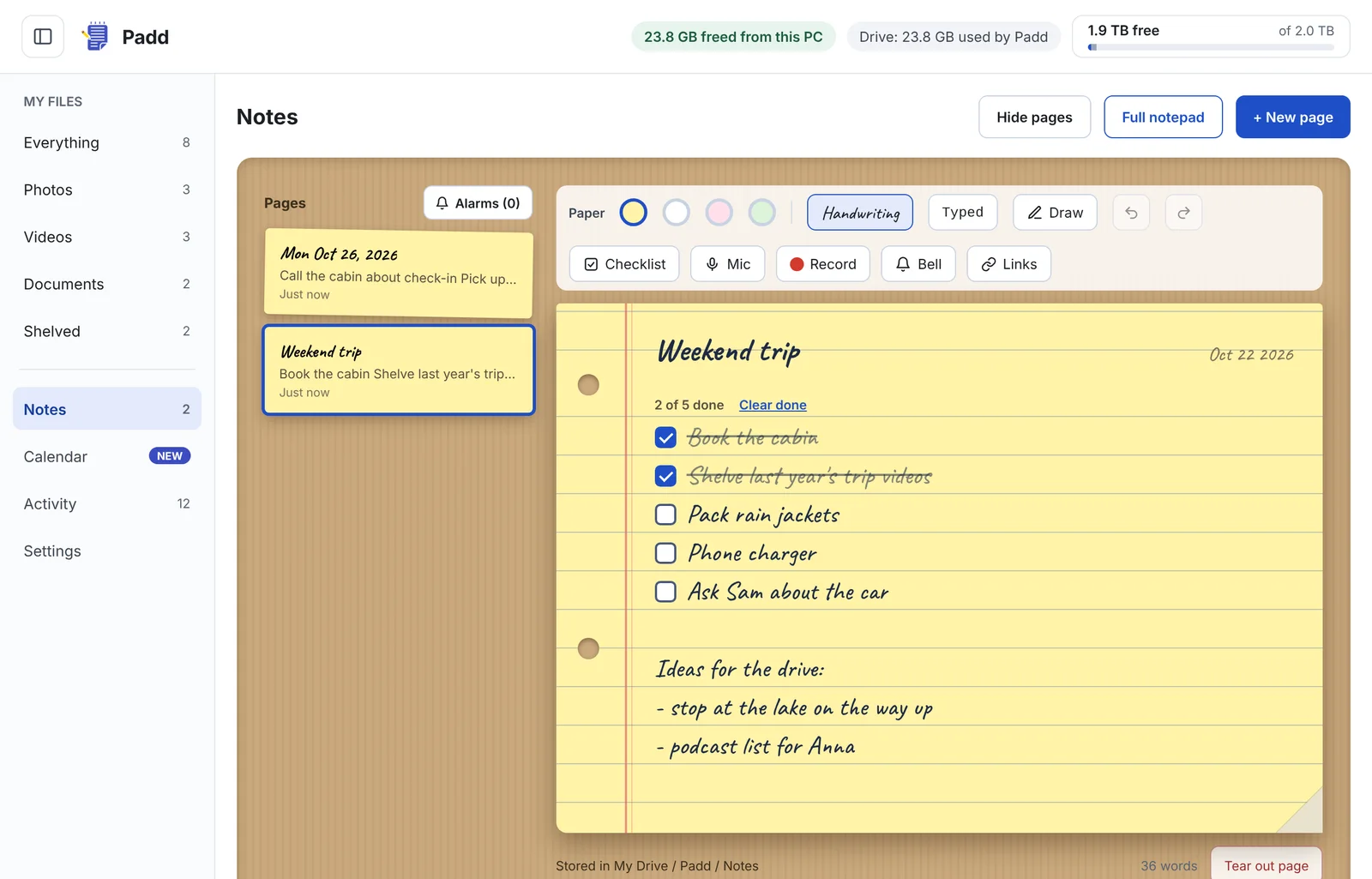
Yellow legal-pad pages, real checklists, pictures, drawings, voice recordings and links that turn into previews. Every pause in typing saves to your Drive.
- Checklists with crossed-off rows and a done counter
- Dictation that runs on your PC, not in the cloud
- Undo, redo, and a full-window mode for focus
Try it: Saturday
23.8 GB back on my PC!Free up your PC without deleting a thing.
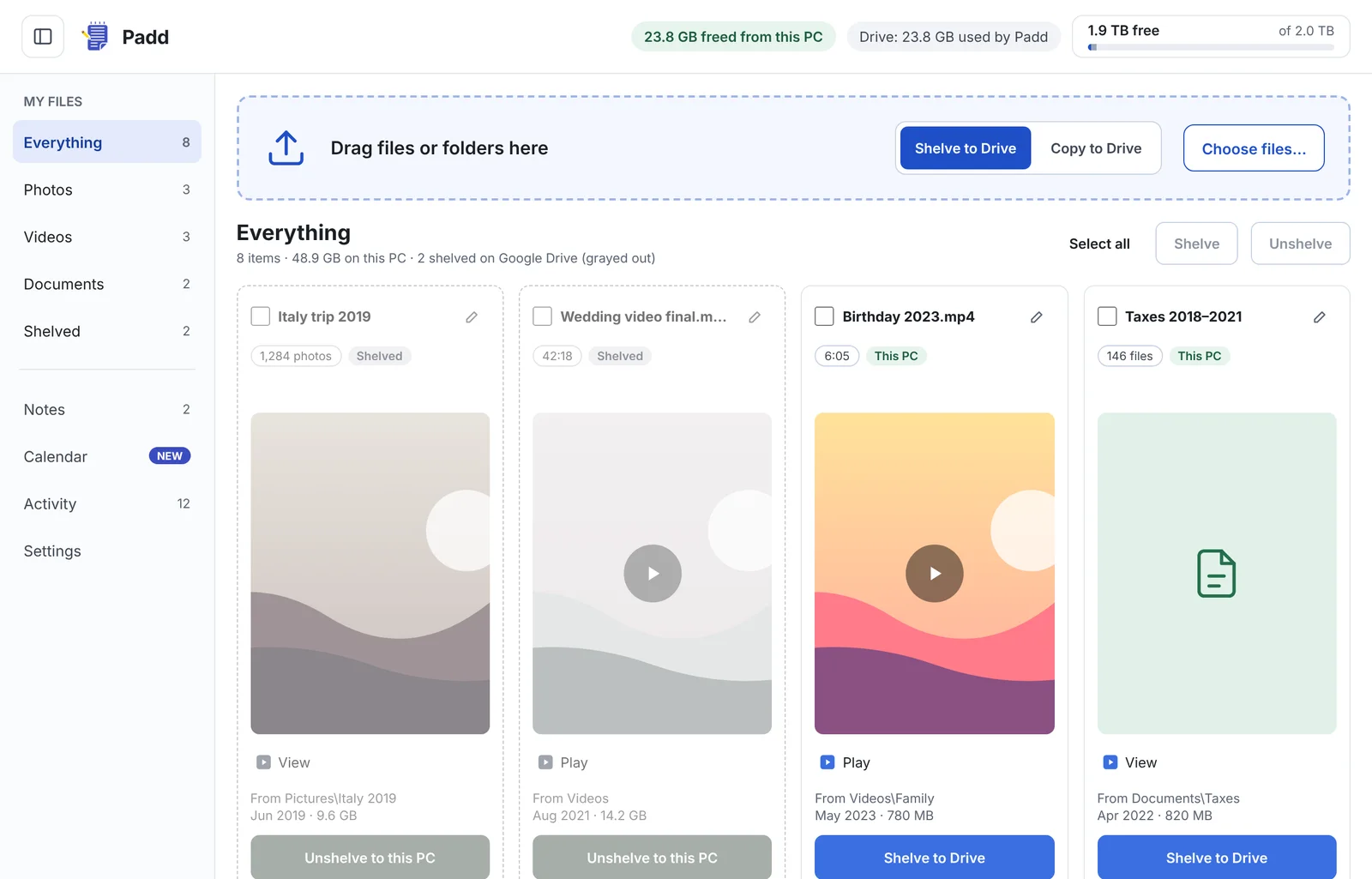
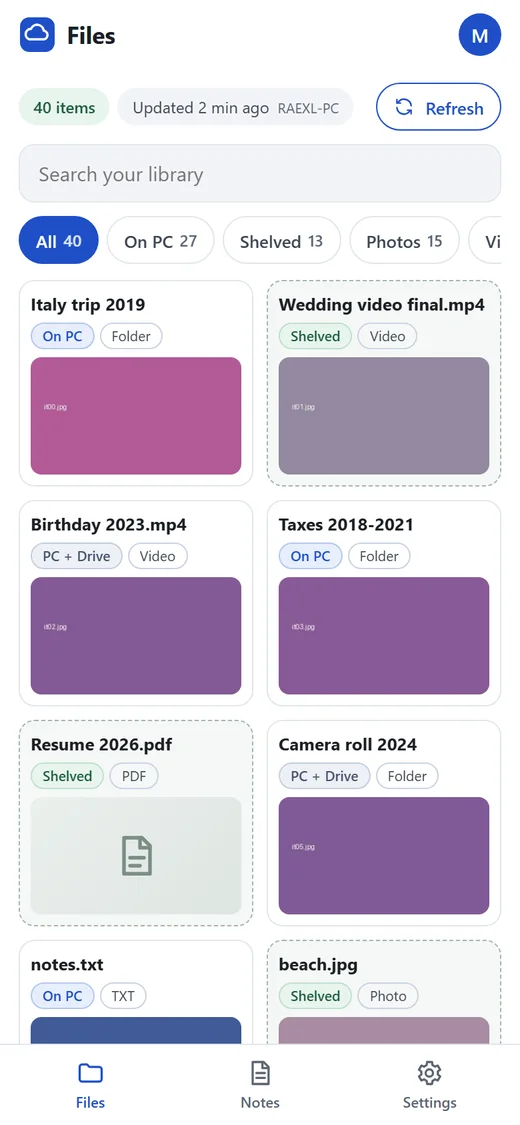
Shelve old photos, videos and folders to your Google Drive. Padd checks the copy, then clears the space. Shelved files stay in your library and open from the cloud whenever you want them.
- Nothing leaves your PC until the Drive copy is verified
- Unshelve puts a file back where it was
- Search finds shelved files too
A calendar that knows your notes.
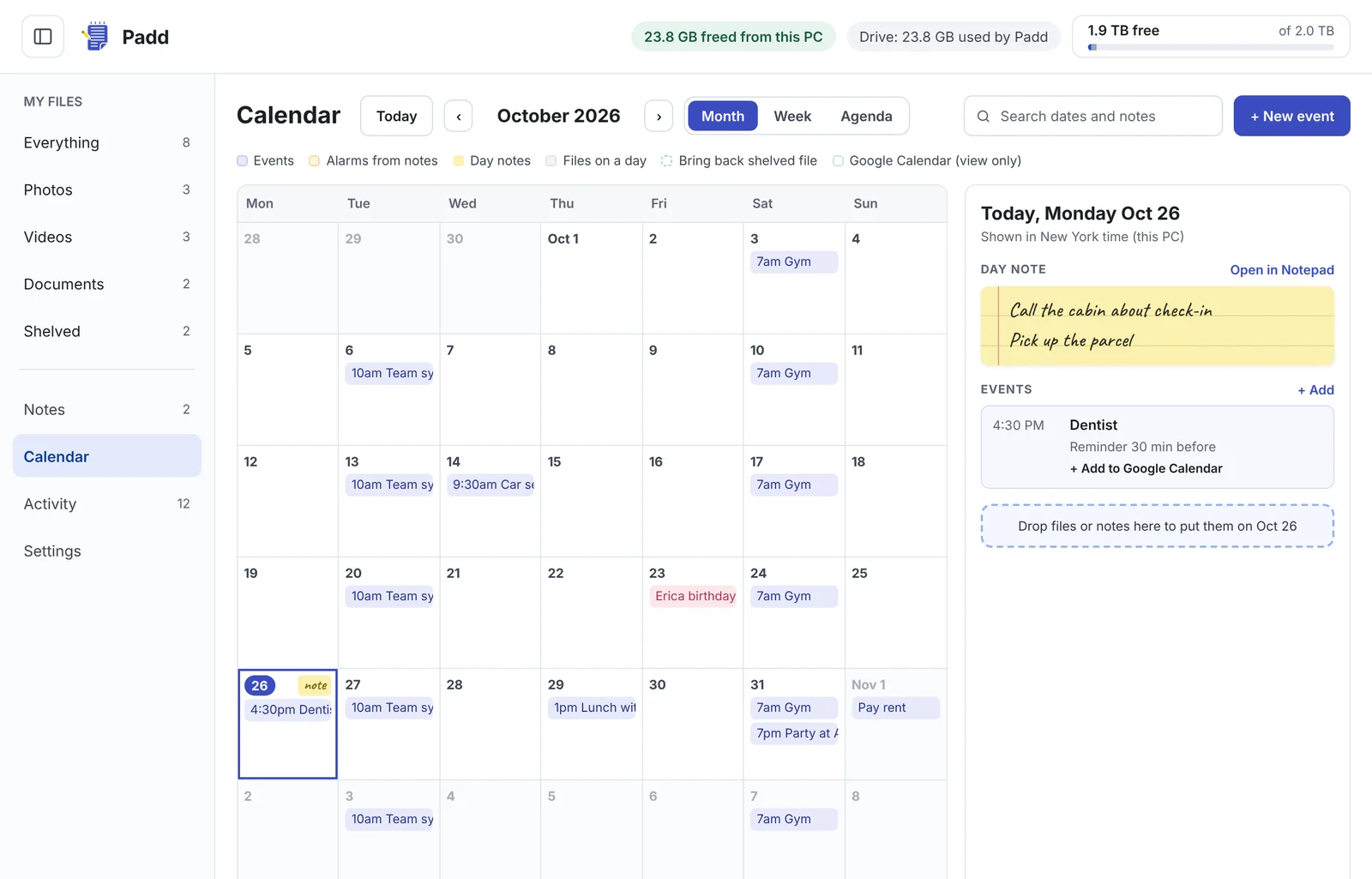
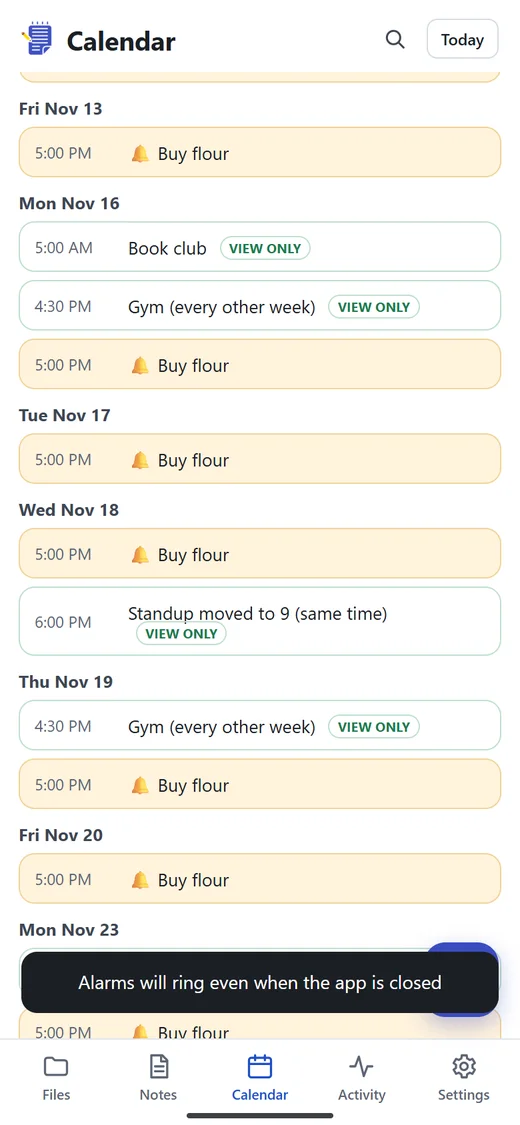
Month, week and agenda views with repeating events, a note for each day, and the alarms you set inside your notes. Pin a file to a day, or pick a date to bring a shelved file back.
- See your Google Calendar events alongside, view only
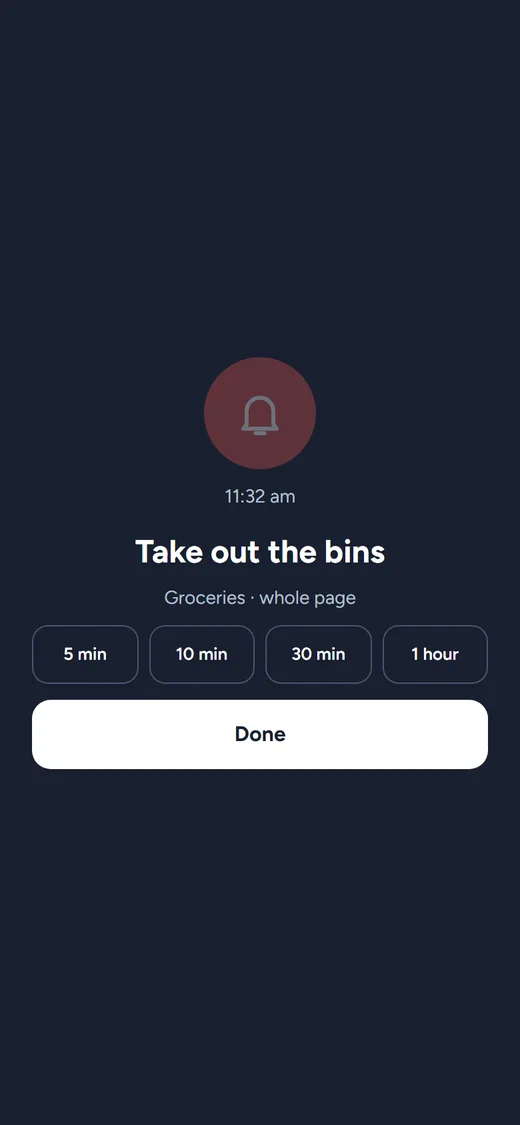
- Alarms that wake your PC from sleep
- One click to add an event to Google Calendar
never miss the dentist againYour pad goes where you go.
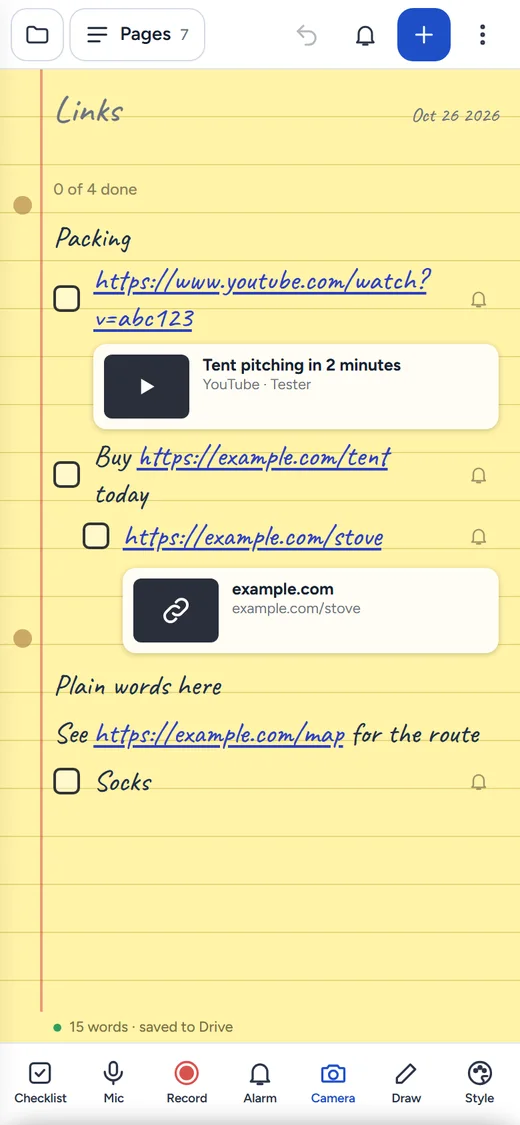
Open Padd on your phone and add it to your home screen. No app store, no second account. It reads the same Drive folder as your PC.
Your stuff stays in your Drive.
Padd asks Google for the narrowest Drive permission there is. It can open the files it made and nothing else. Your notes and files go between your devices and your Drive, never through Padd servers.
Is Padd free?
TODO: confirm pricing before launch. Placeholder: Padd is free during early access.
Where are my notes and files stored?
In your own Google Drive, in a Padd folder. Padd asks Google only for permission to the files it creates, so it cannot see anything else in your Drive.
Does Padd work on my phone?
Yes. Open Padd on your Android phone or iPhone and add it to your home screen. Your notes, calendar and shelved files are the same ones you see on your PC.
What does shelving a file do?
Padd uploads the file to your Drive, checks the copy matches, and only then removes it from your PC to free space. Shelved files stay in your library and open straight from Drive. One click brings a file back.
Do alarms ring when Padd is closed?
On your PC, Padd keeps running in the tray and can wake the PC from sleep for an alarm. On your phone, alarms arrive as notifications even when the app is closed.
Is there a Mac version?
Not yet. Padd runs on Windows 10 and 11, and on phones through the Padd phone app.
Start your Padd today.
Download for Windows, sign in with Google, and your first page is ready in under a minute.